LocalLauncher
A home screen made of words.
LocalLauncher is a minimal Android home screen. Your apps, app shortcuts and links sit under the clock as large text, with a short note on the day above them. There is no account, and nothing you do on the phone leaves it unless you turn on the weather or the markets. It pairs with LocalType, my private keyboard.
Android 10 or later · version 0.5.3 (build 37) · 47 MB
Early access, free, no ads. English.
Install
- Open the downloaded APK. Allow your browser to install apps if Android asks.
- Press Home, and choose LocalLauncher when Android asks which home app to use. If it doesn’t ask, open Settings in LocalLauncher and tap Set as home app.
- To go back to your old home screen, pick it under Default apps, then Home app, in Android’s settings.
Updates with Obtainium
Already use Obtainium? Add LocalLauncher to Obtainium to get each new release. If you don’t have it yet, get Obtainium first.
Every release is signed with the same key, so each one installs over the last and keeps your home and settings.
Updates with F-Droid
Use an F-Droid client? Add my app repository to get the same signed APK and its updates. Keep LocalLauncher installed to keep your home and settings.
It’s my own repository, separate from the main F-Droid catalog; its page has the signing fingerprint and setup steps.
New in 0.5.3: More homes stay at large font sizes. When one can't, the List says which home it is standing in for and why, and the home menu marks the homes that need smaller text.
The homes
Recordings and screenshots show placeholder apps. List is the default home; the others are experiments to try. Choose a home to see it.
List

What the recording shows
The List home: the clock at the top and eight app names in large type at the foot of the screen. A tap presses Clock, its row shades gray, and the Clock app slides in.
Hex

What the recording shows
A cluster of hexagons, All apps in the middle and one for each kind around it. A tap on Places turns it black and its six apps fold out into the cells around it as the board pans. A tap on Media swaps to Media's apps, and another tap on Media folds them away, back to the cluster.

What the recording shows
A field of hexagon cells, each with an app's name, with kind names between groups of them. A finger drags the field up and to the left, revealing more cells and empty outlines, then drags it back down and to the right. A tap on Center returns the field to where it started.
Draw

What the recording shows
A blank page under the clock with a quiet key of starter shapes at its foot: a handset for Phone, a circle for Camera, a W for Chrome and others. A finger draws a circle in ink in the middle of the page; the key disappears as the stroke starts, the ink fades after the lift, and the Camera app opens to its splash.

What the recording shows
On the Draw home a tap on the three short rules lists the tiles with their shapes. Holding Maps opens its sheet; Teach a drawing opens a drawing pad, and Use a shape opens a list of sixteen ready-made shapes, each a small line drawing beside its words: a star, a heart, an arrow, a check mark and more. The list scrolls down and back, a tap chooses A star, and the pad returns saying Its shape is a star.
Arrivals
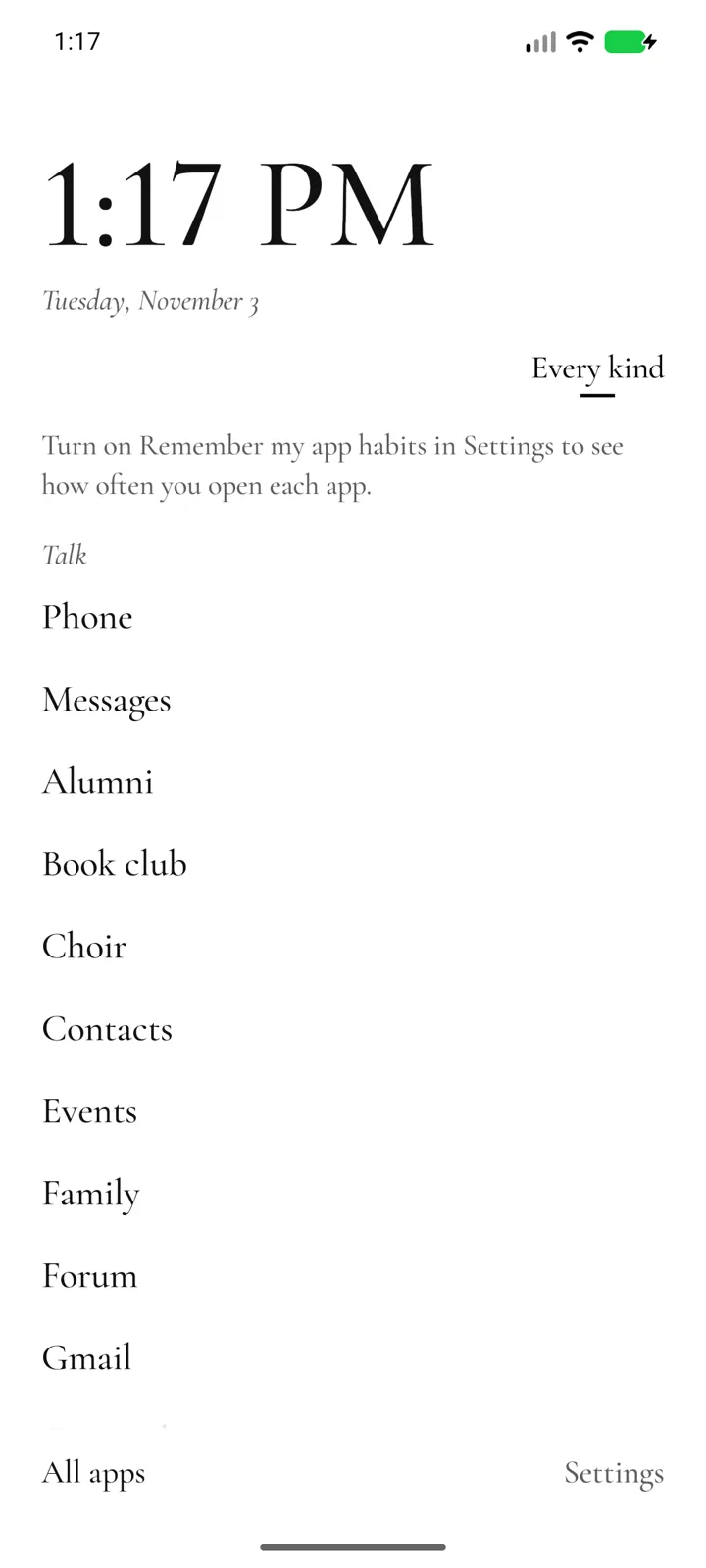
Rose

What the recording shows
A rose of nine petals washed in pale group colors, each with its group's name, the larger petals holding more apps. A tap on Media draws the rose into a bud and unfolds a ring of Media's apps around it; a tap in the middle folds it back. A tap on Places unfolds its six apps in green, and a tap on Weather opens it to its launch splash.

What the recording shows
The rose's petals inside a toothed rim, with a small triangle notch at twelve o'clock and the group under it named large above. A finger takes hold of the Places petal low on the right and turns the whole ring counterclockwise until Places sits under the notch, the name above changing as each group passes. It rests and lifts; the petals swing aside like aperture blades, uncovering a disc of Places' apps. Back closes the blades and the ring returns to Talk.

What the recording shows
The same turning rose in light lines on black. A finger turns the ring until Places reaches the notch at the top, rests and lifts; the petals swing aside as blades and a disc of Places' apps shows inside them. Back closes it.
Pie

What the recording shows
An empty page under the clock. A finger presses and holds still; a ring of six app names opens around it with a small circle at its center. The finger slides toward Messages, which grows and is underlined while its name shows at the top, then round to Camera, then back to the center and lifts, and the ring closes. A quick stroke from the same spot toward the lower right opens the ring for an instant on Camera, and the Camera app opens.
Margin

What the recording shows
A hairline ruler of ticks down the right edge, kind names beside it. A thumb lands on the ruler and slides up and down it; app names come out to its left as a lens, the name at the thumb grown and the others shrinking with distance, while the clock fades behind a veil. The thumb slides left off the ruler and the names freeze into seven even rows; it moves down one row to Passwords, rests and lifts, and the app opens to its launch splash.

What the recording shows
A band of flat red, yellow, blue and black blocks flush to the right edge, one per kind, crossed by fine ticks. A thumb slides up and down the band and app names swell beside it as a lens; it slides left, the names freeze into rows, it settles on Pharmacy and lifts, and the app opens to its splash.

What the recording shows
The block band on black: red, yellow, blue and white blocks at the right edge. A thumb scrubs the band, names grow beside it in white, it slides off onto frozen rows, settles on Pharmacy and lifts, and the app starts to open.
Parting

What the recording shows
Two lists side by side: group names with their counts on the left, every app under small headings on the right, a short vertical mark beside the current group. A tap on Plan scrolls the apps to Plan's heading and the mark moves to Plan; a tap on News does the same for News. Then the apps are dragged back up the list and the mark climbs with them, from News to Tools to Plan.
Index

What the recording shows
A Swiss page of every app's name in small type, each kind's name in a first column and a rule above each kind. A press on Alumni raises its line, larger, in a band just above the thumb with the name underlined. The thumb slides along and down through Book club, Choir, Events, Letters, Group chat, Forum and Pen pals, the band following and the underline moving, then rests on Postcards and lifts; Postcards opens to its splash.
Checker

What the recording shows
A three by three checkerboard of black and white squares, each a group with its number, name and count. A tap on Media grows it to fill the board with its apps as the same checker, with a quiet line under it reading 8 of 16 apps, more below. The board scrolls down, the line's count rising, then back up, and a tap on the Media square shrinks it back among the groups.

What the recording shows
A four by four board, each group square in its own pale tint and the empty squares outlined. A tap on Social grows it to a pink board of its fourteen apps; a tap on its square shrinks it back. A tap on Places grows a green board of six apps, and a tap on Weather opens it to its splash.
Rotor
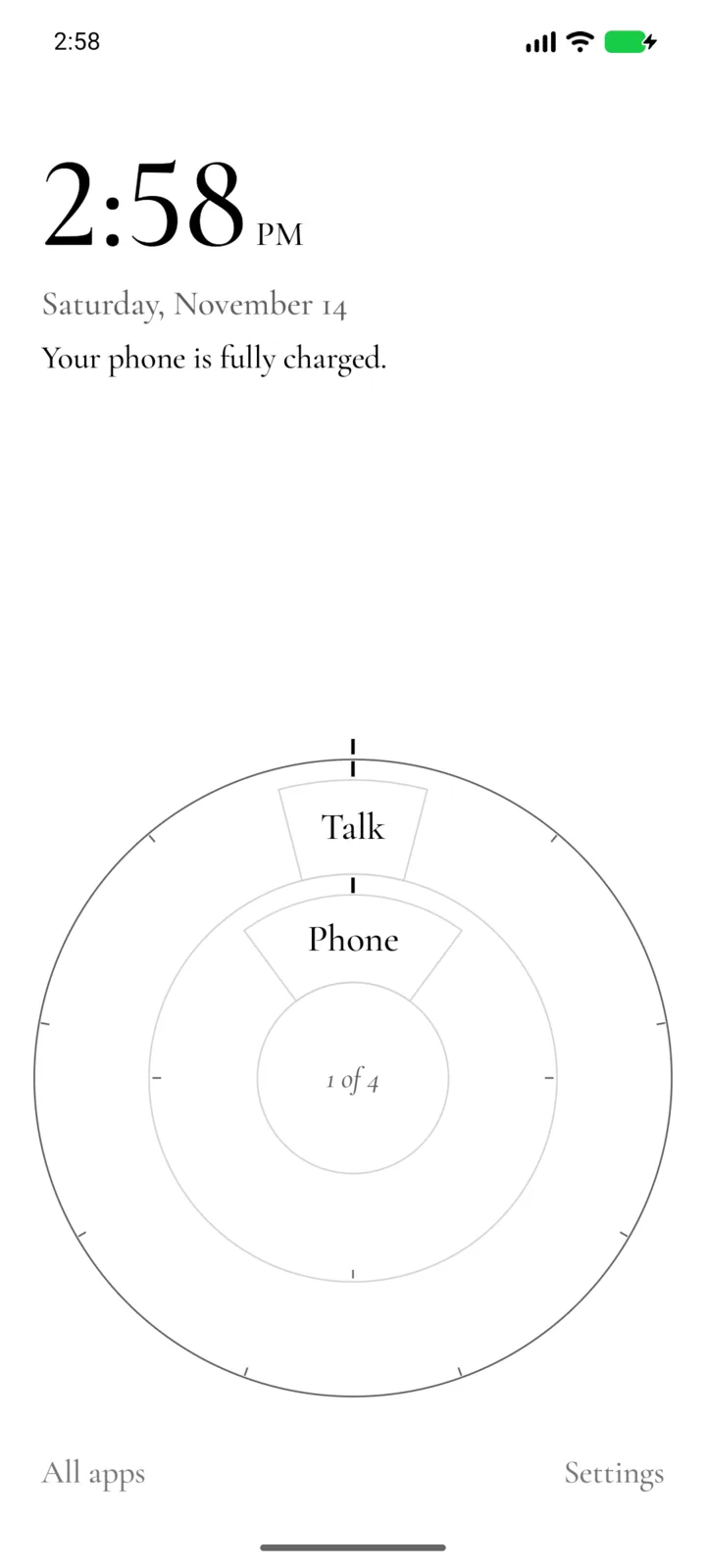
Accordion
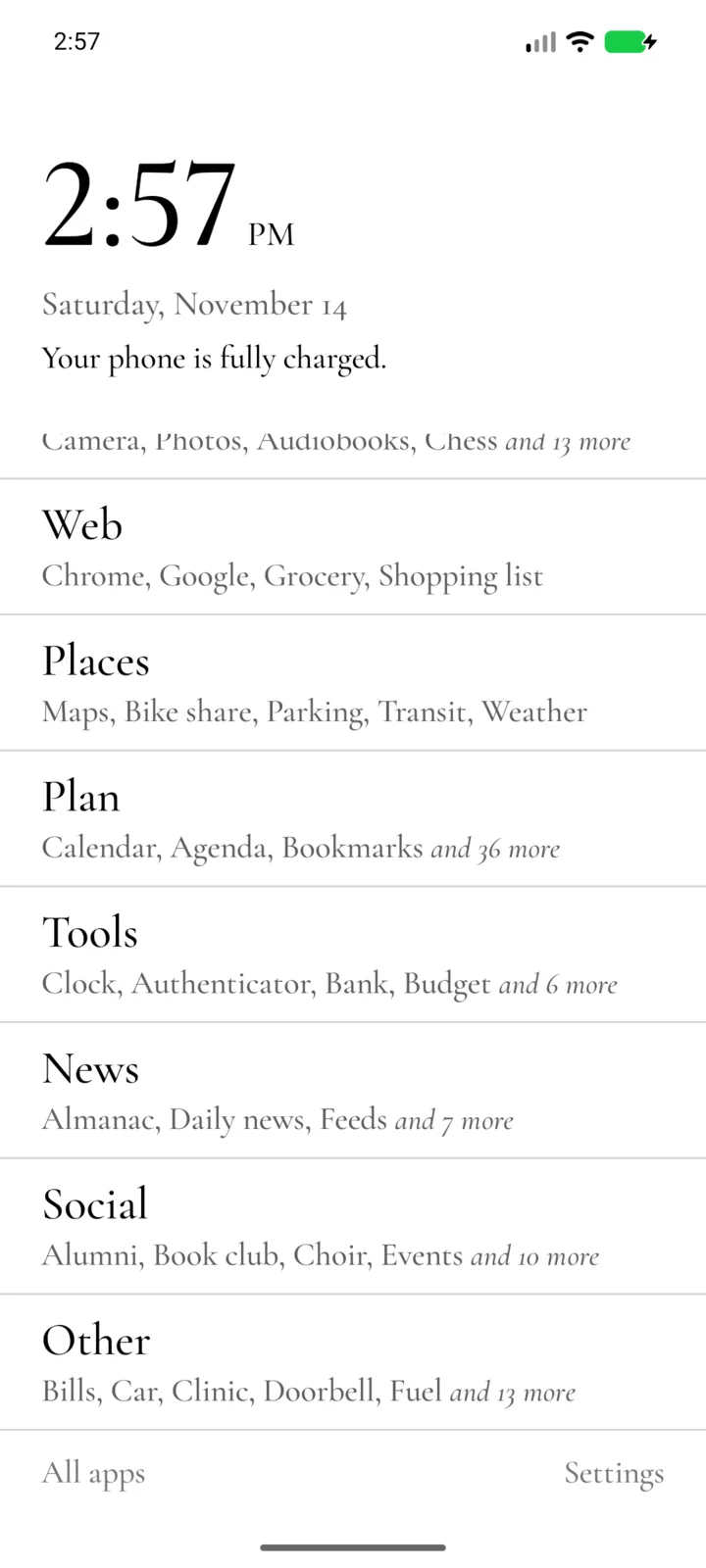
Plates

What the recording shows
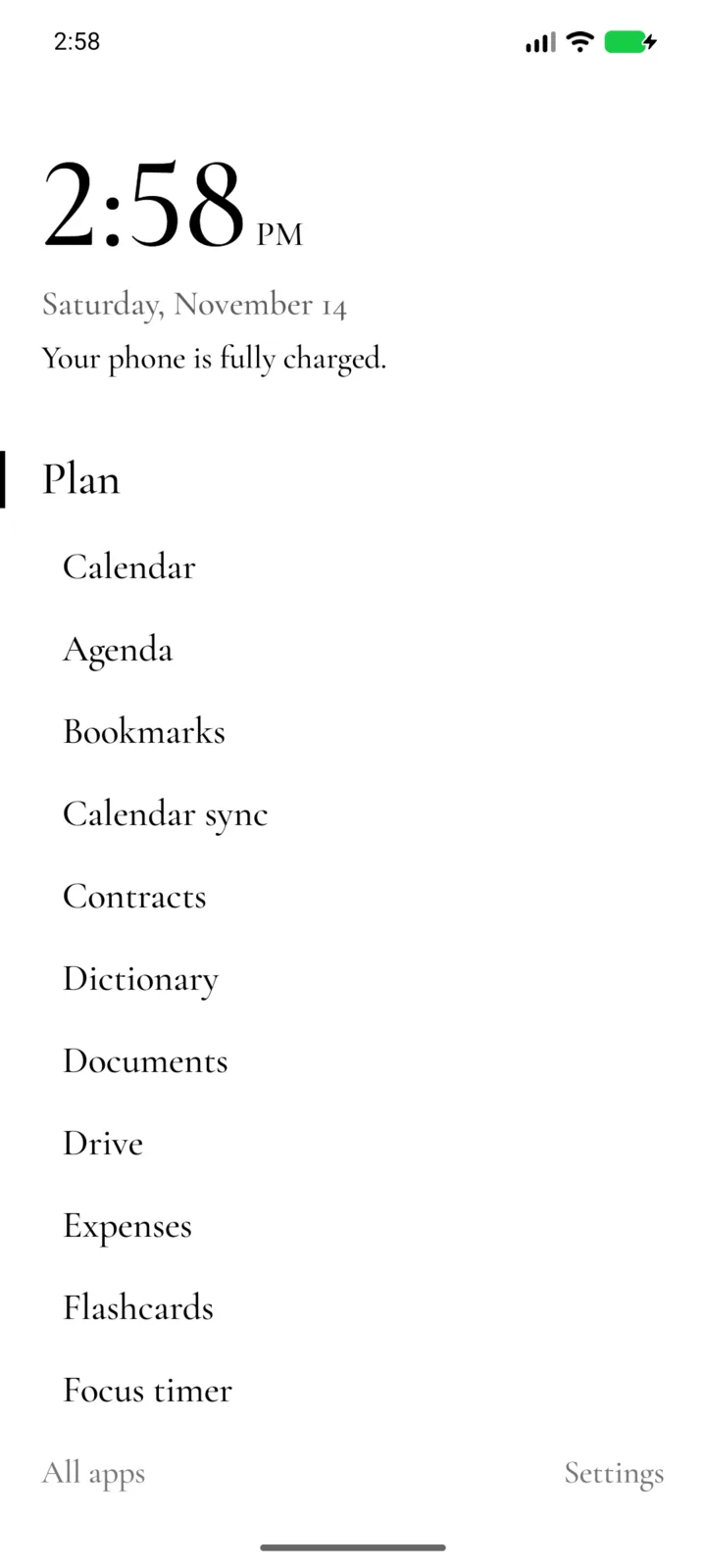
The Plates home: two groups as edges at the top, then a pile of plates with their names as tabs, Talk in front listing Phone, Messages, Contacts and Gmail. A finger draws the Talk plate to the right; it slides off and tucks under the pile, and Media comes to the front with Camera, Photos, Audiobooks and Chess.
Fan

What the recording shows
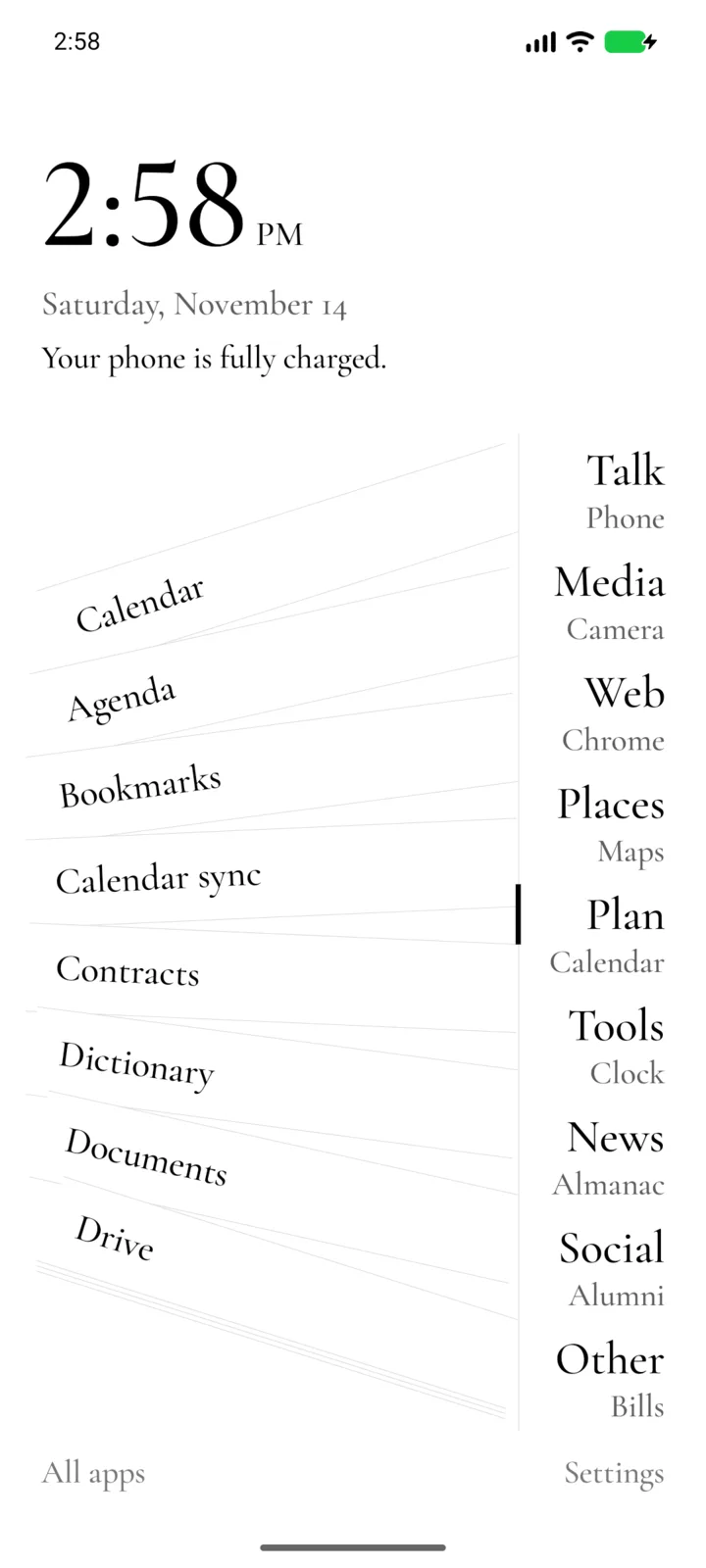
The Fan home: the groups down the right edge, Talk, Media, Web, Places, Plan, Tools, News, Social and Other, each with its first app in small type under it. A tap on Plan fans its apps out to the left as slips, Calendar, Agenda, Bookmarks, Calendar sync, Contracts, Dictionary, Documents and Drive, with a short mark beside Plan on the rail.
Paternoster

What the recording shows
The Paternoster home: app names one to a row, Agenda at the top beside a short mark, with a column of letters at the right edge. A flick carries the lift up through the names and it settles with Camera at the mark; a slower drag brings it back down to Bookmarks.
Marbles
Gear

What the recording shows
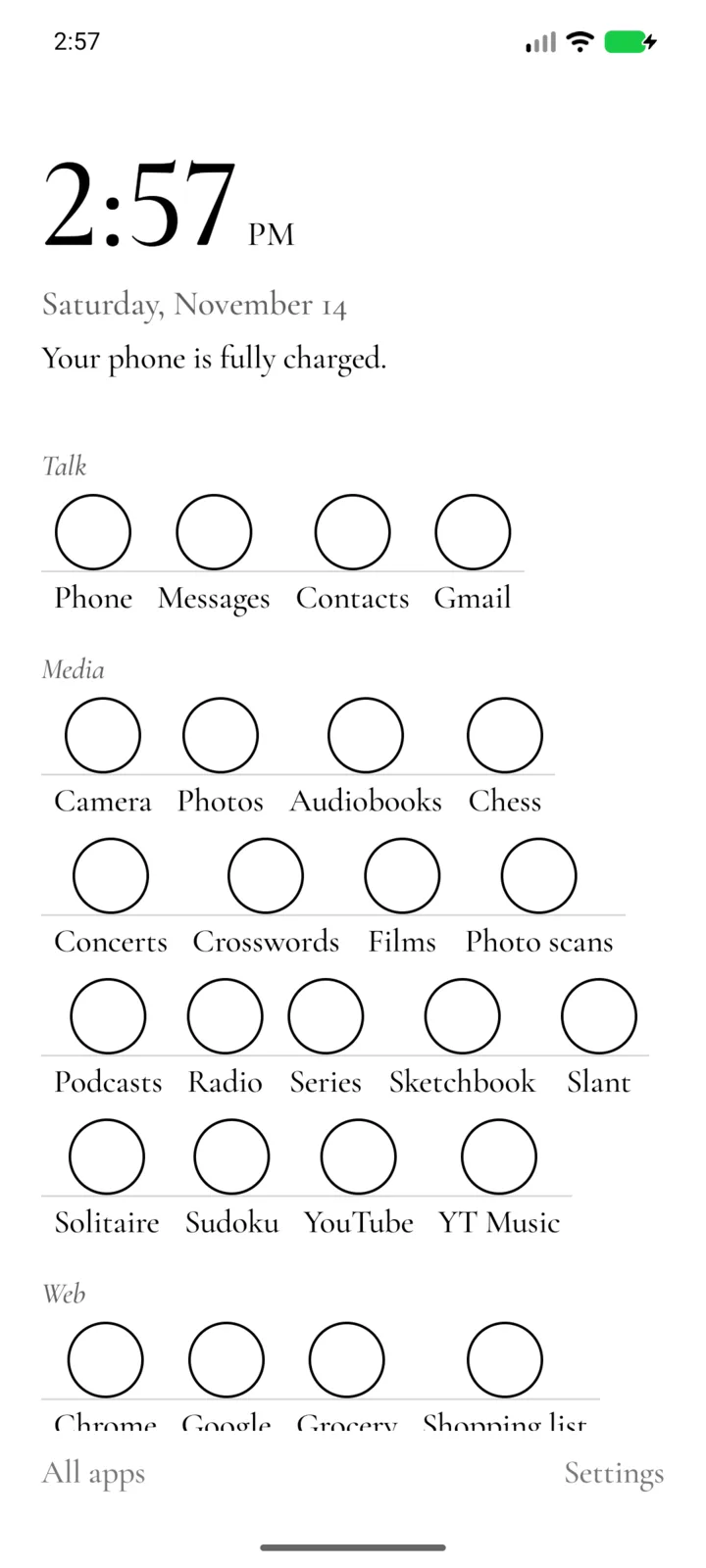
The Gear home: the rim of a wheel bowing in from the right edge, app names hanging beside it and a small triangle at the notch, with Phone at the notch and named again at the foot. A drag down the rim turns the wheel to Contacts, then on to Audiobooks; a flick carries it on and it settles on Minimal Primitives.
Well
Cord

What the recording shows
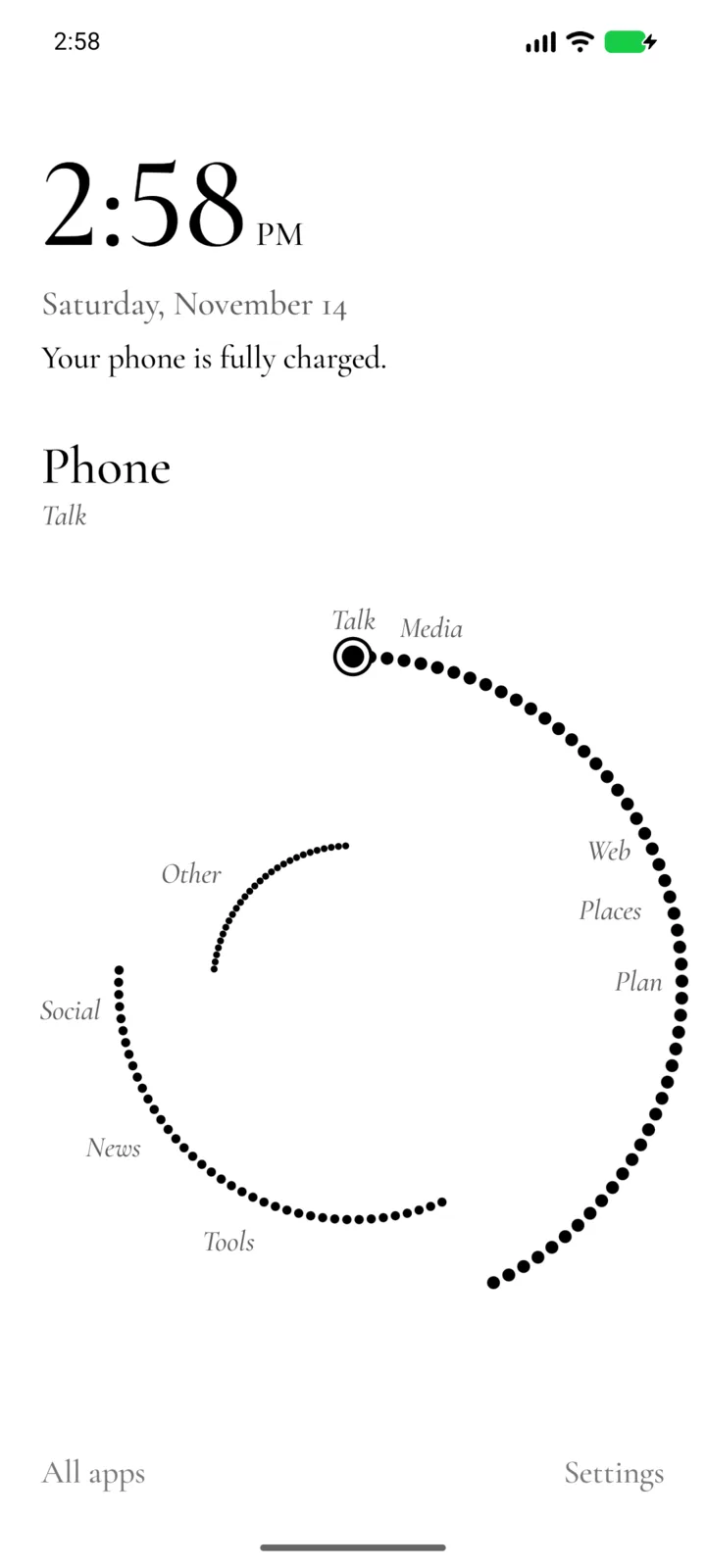
The Cord home: a cord sagging between two posts with app names hanging from it in a staircase, Phone at the sag. A sideways slide carries the cord on until Chess hangs at the sag, and a slide back returns it to Contacts. The line at the foot names the app at the sag and its group.
Flaps

What the recording shows
The Flaps home: a row for each group, its name and how many apps it holds, a flap showing one app and the word open. Three taps on Talk’s flap turn it from Phone to Messages to Contacts, each word folding over its seam.
Screenshots
23 screenshots in one row. Swipe or scroll it sideways; with a keyboard, focus the row and use the arrow keys.
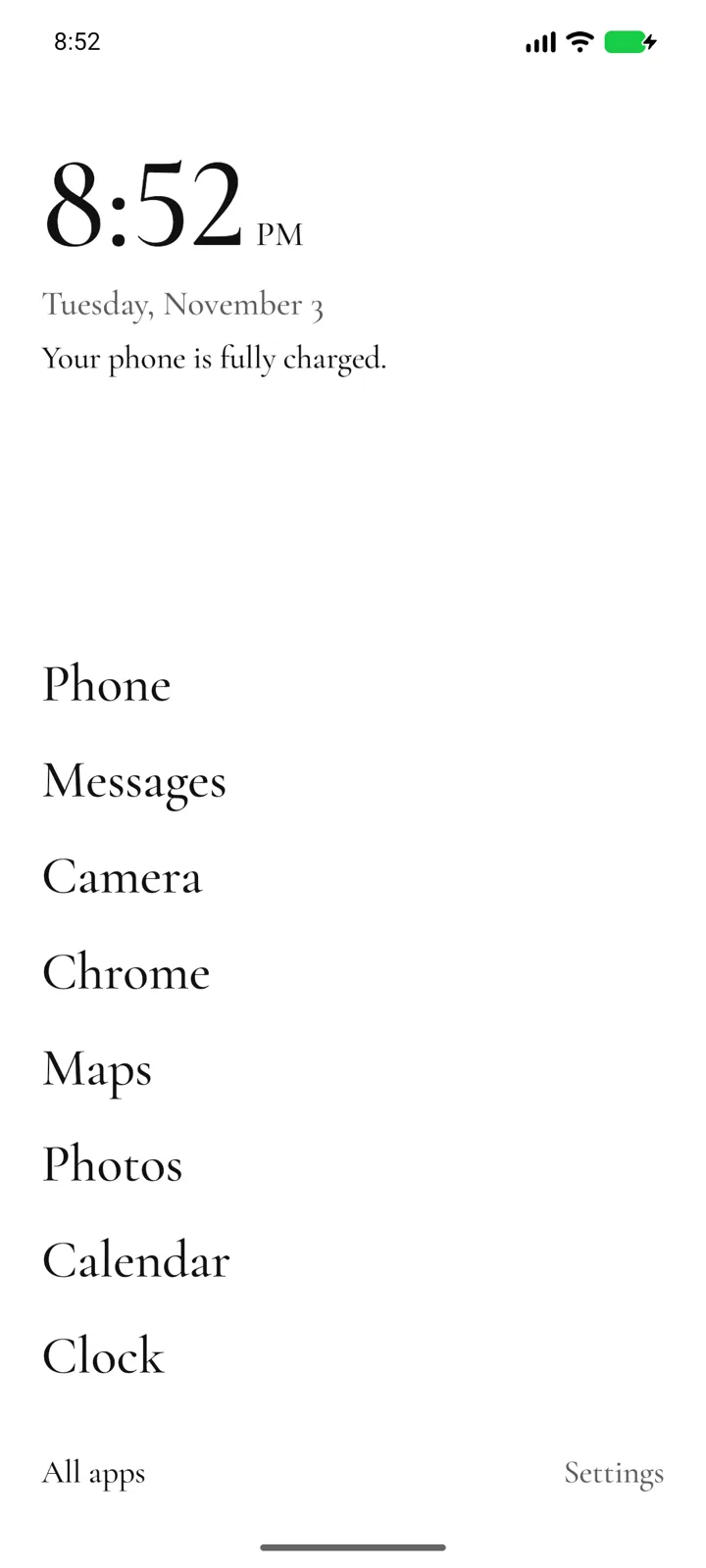
The List home. A new home starts with the phone’s usual apps, at the foot of the screen near your thumb, and Today’s note sits under the clock. 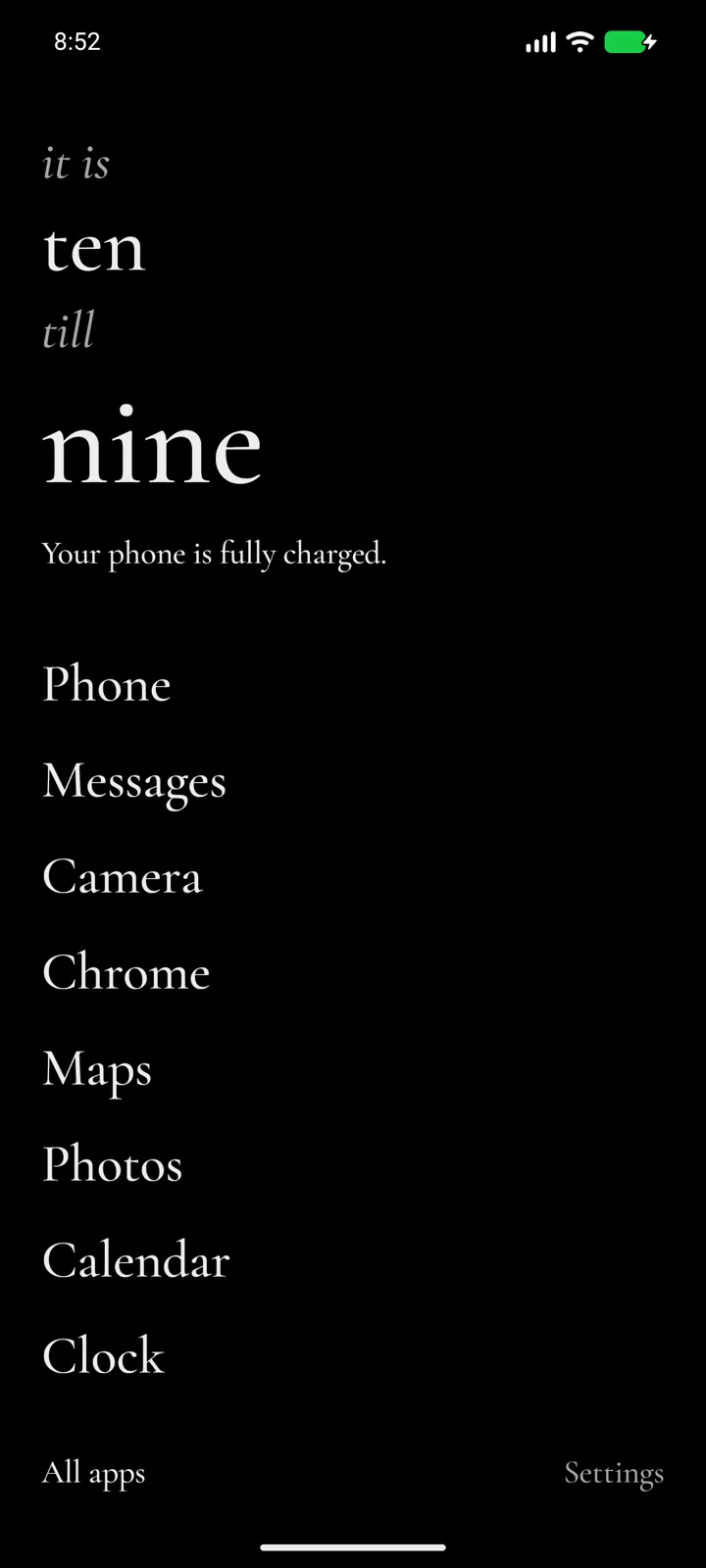
The clock in words, in the dark theme. 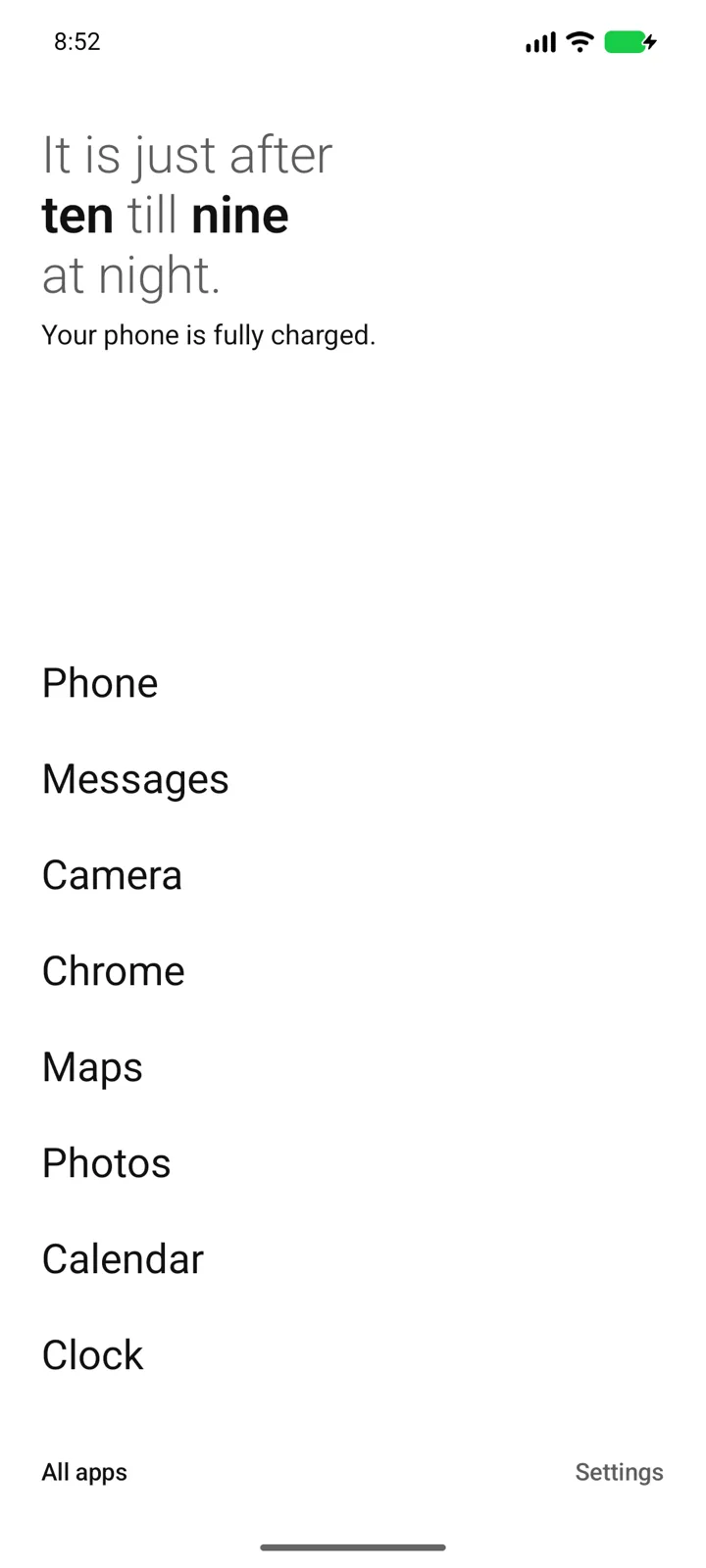
The Spoken clock says the time as a sentence. 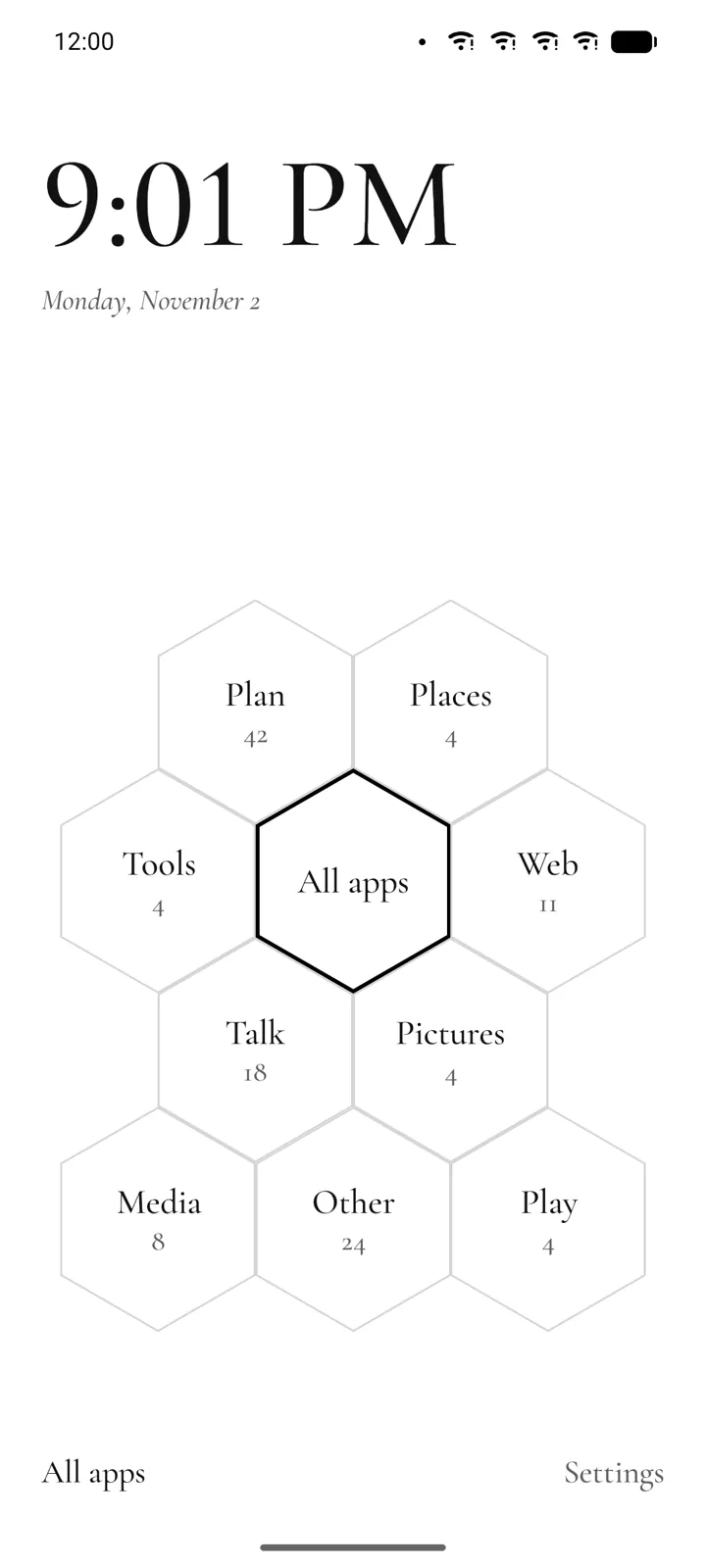
Hex: every group around All apps, with how many apps it holds. 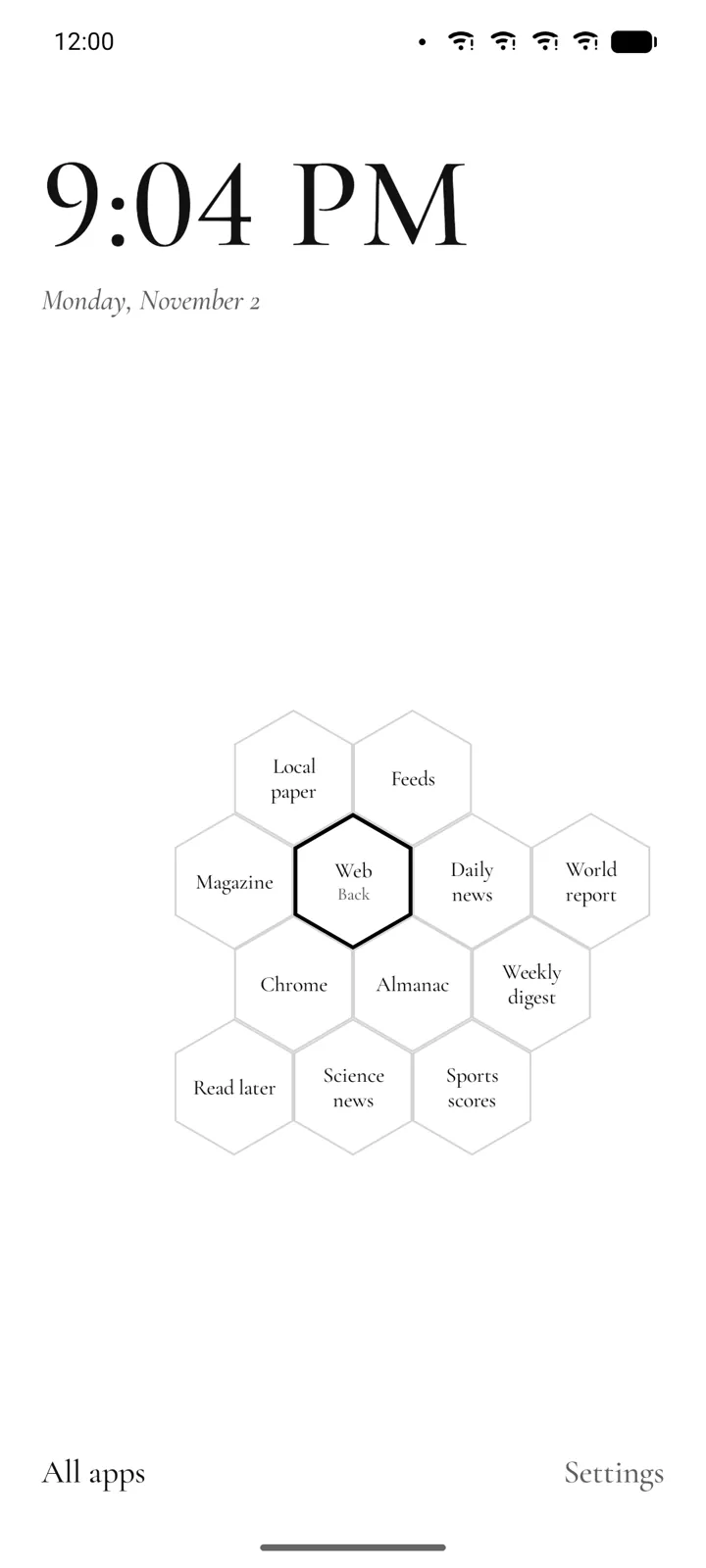
Tap a group and its apps fold out around it. 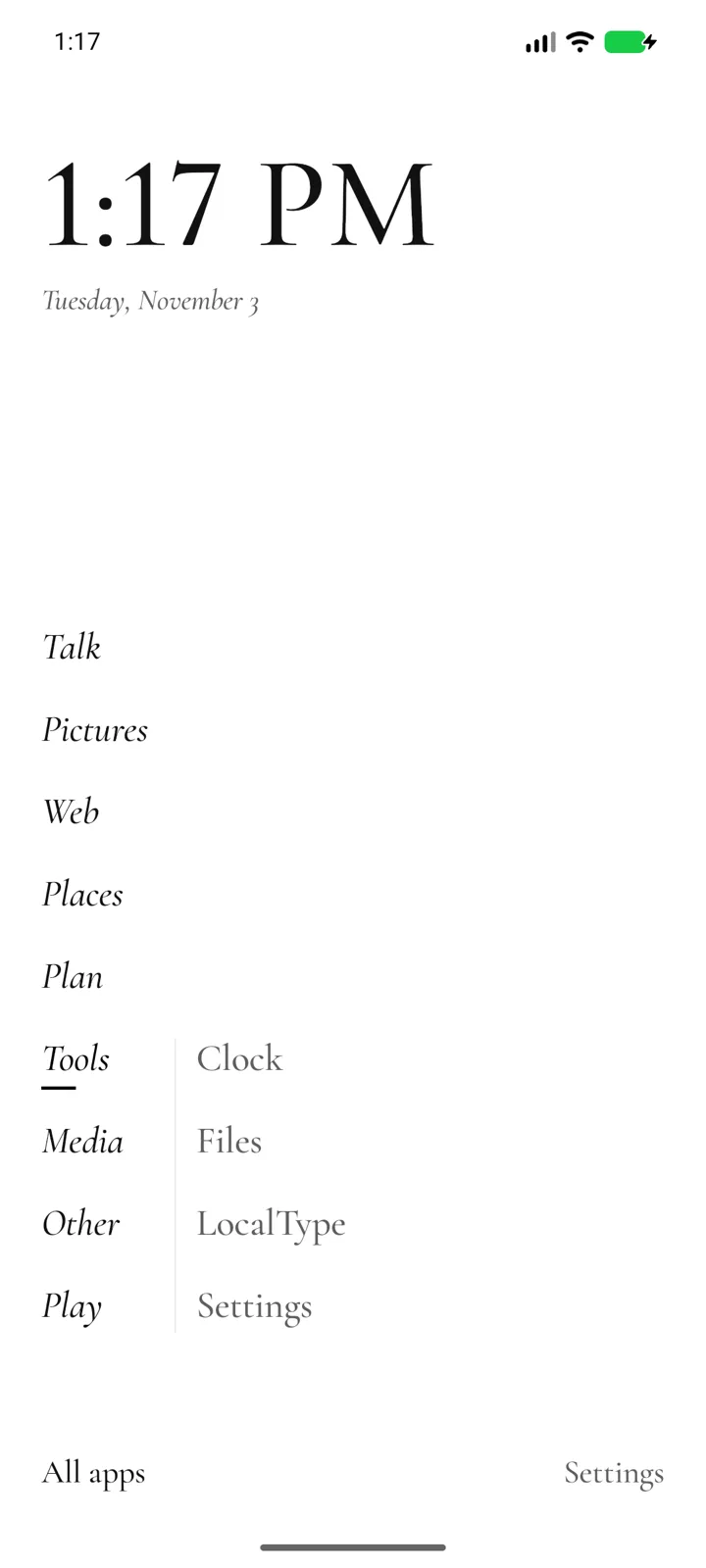
Parting: press anywhere and the groups stand in a column, with the apps of the one at your thumb beside it. 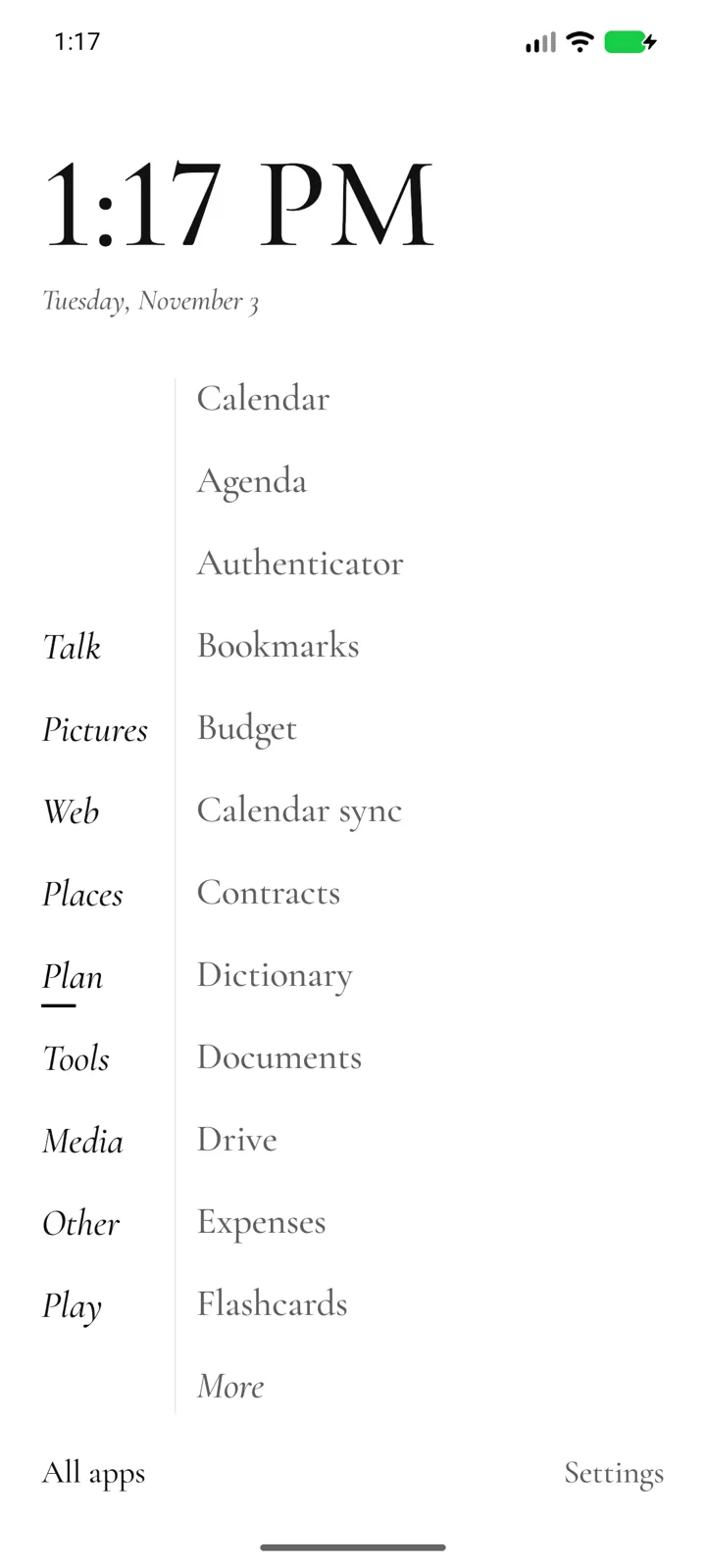
Slide sideways into a group’s apps, a page at a time. Slide to one and lift. 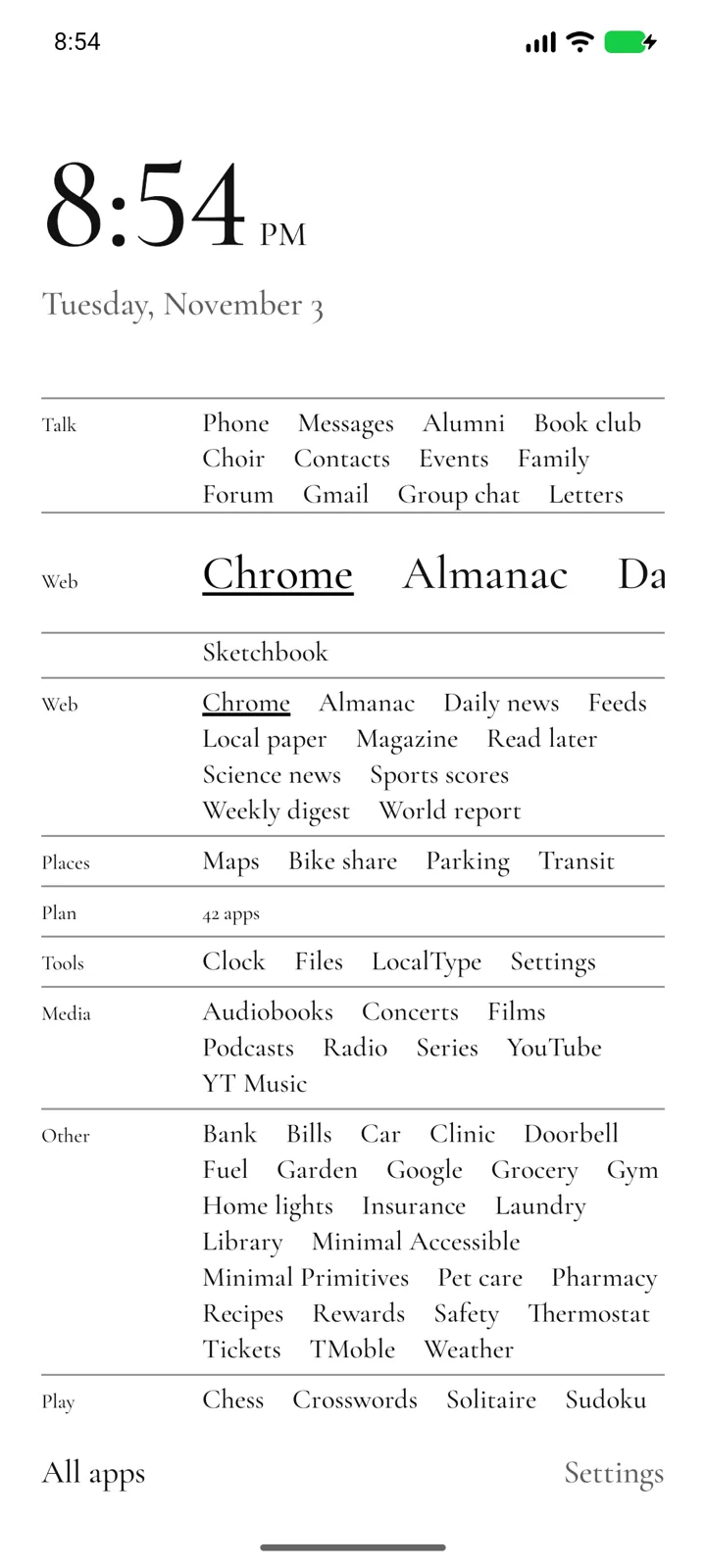
Index: every app’s name, set as a page. Press on a name and its line shows large above your thumb. 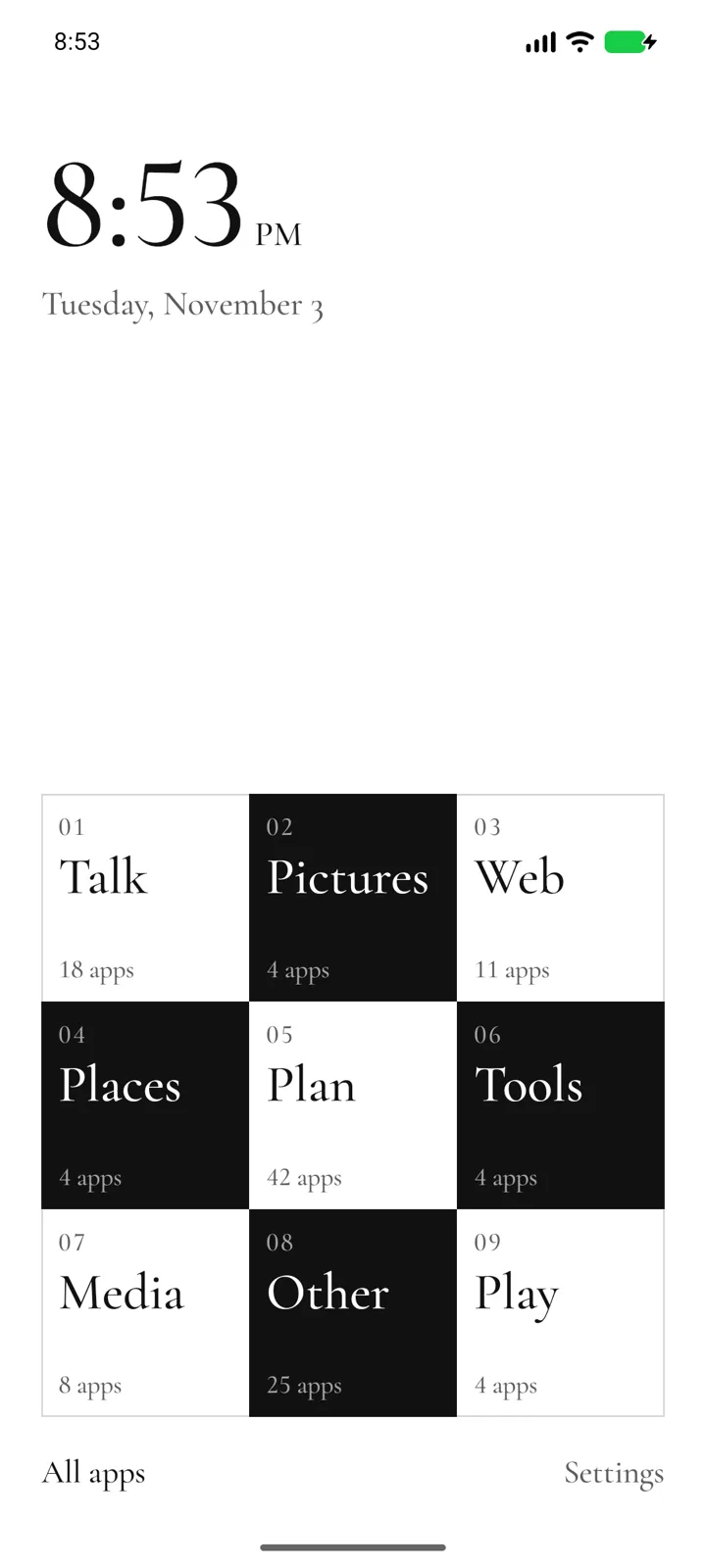
Checker: each group a square. Tap one and it grows to show its apps. 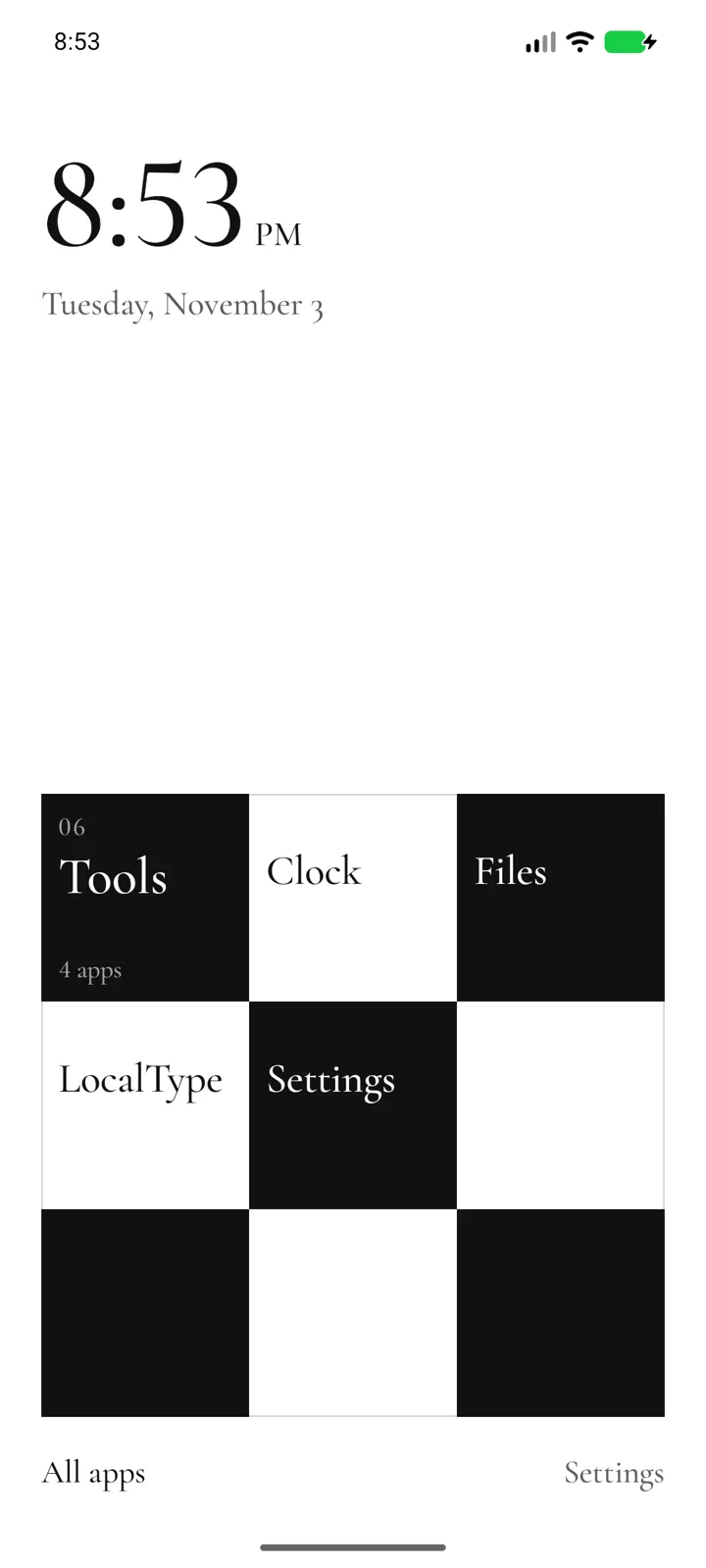
Tap the group’s own square to fold it back. 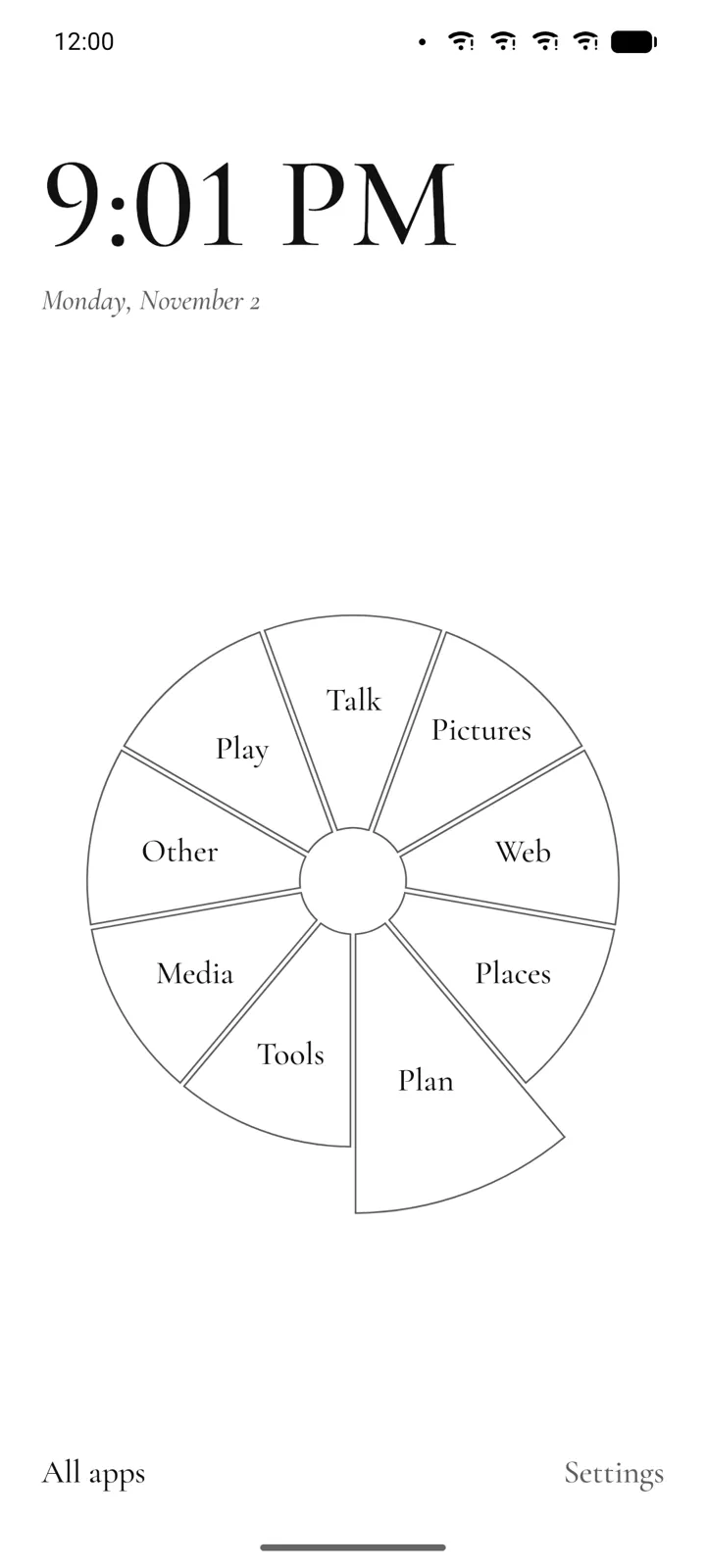
Rose: one petal for each group, larger as it holds more. Tap one for its apps. 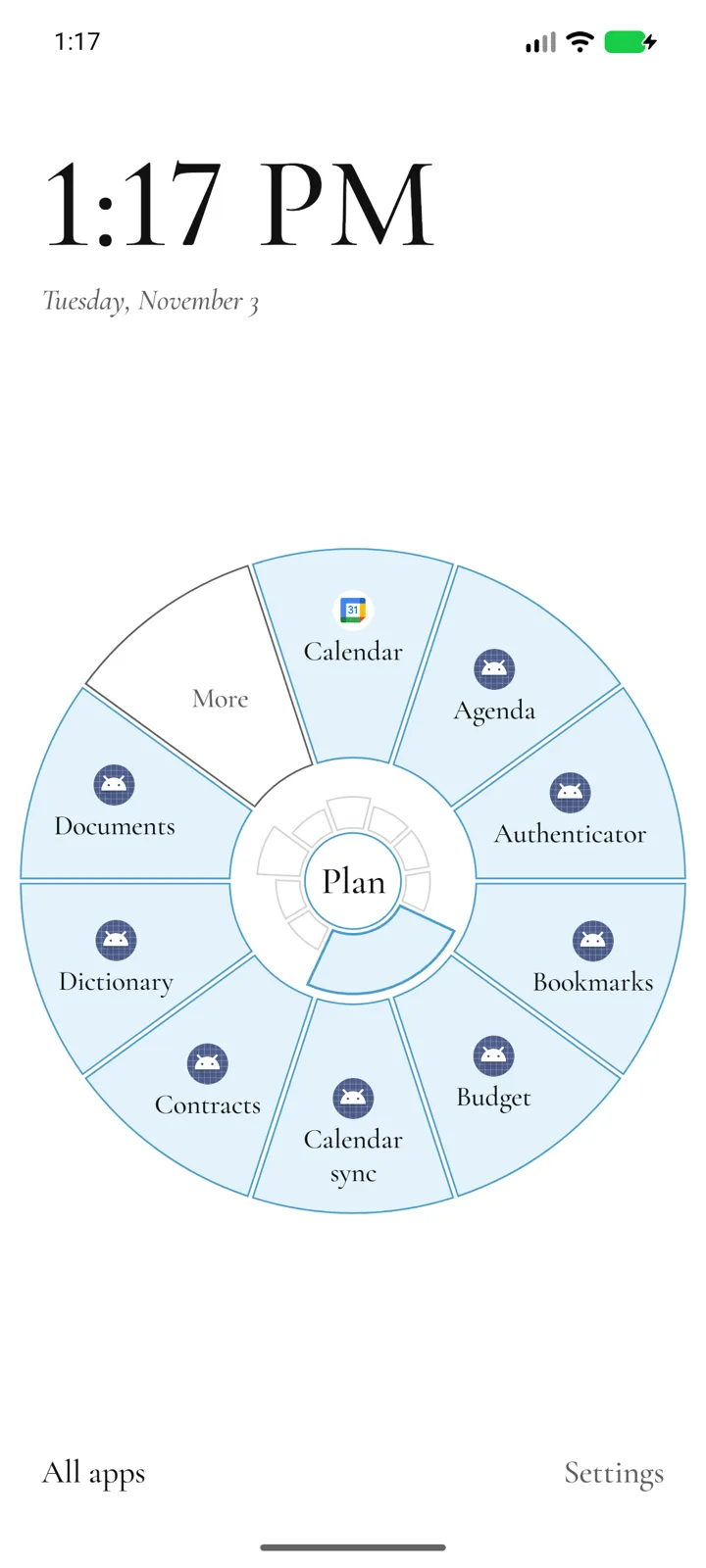
Its apps unfold in a ring, here with Color by kind and Icons on. Tap the middle and the ring folds away. 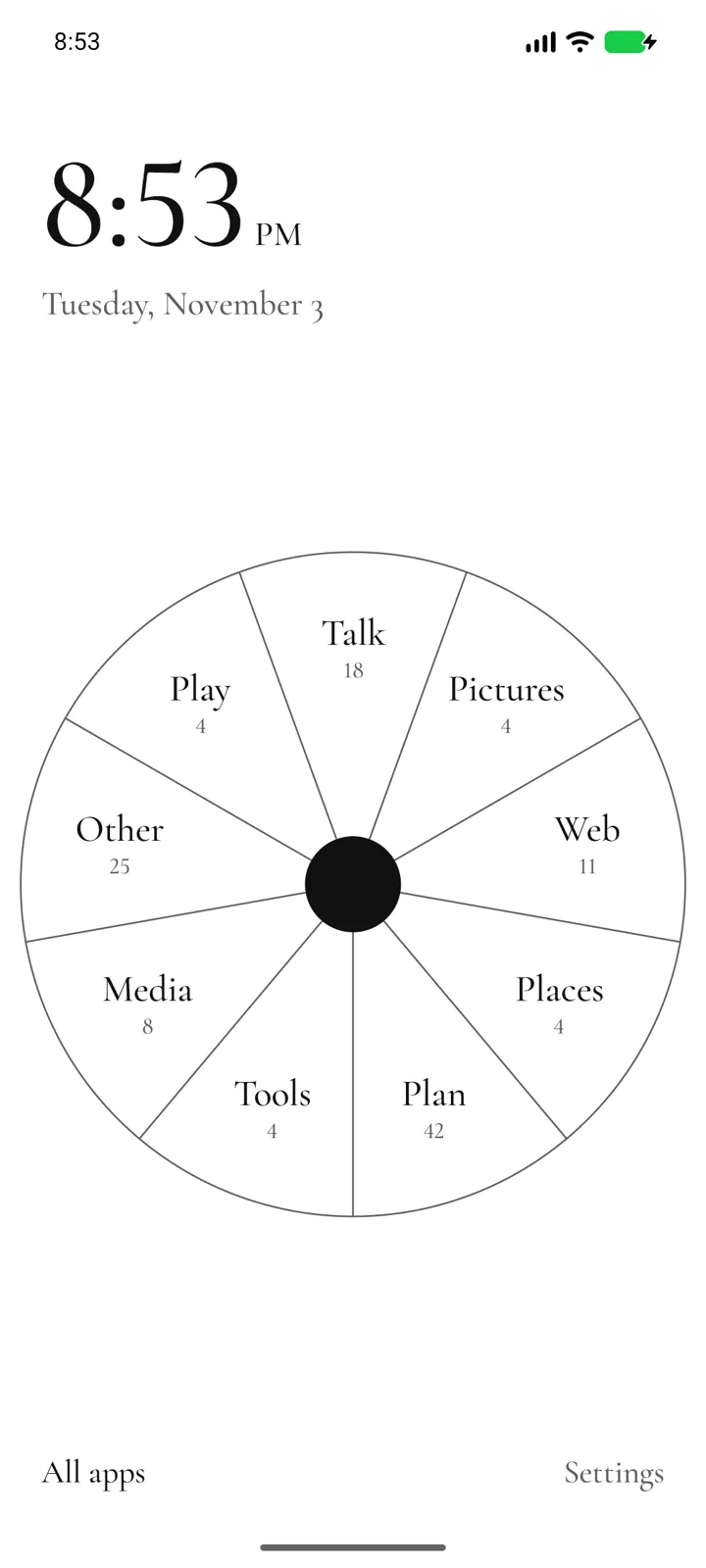
In Settings, Rose can be a circle of equal parts. 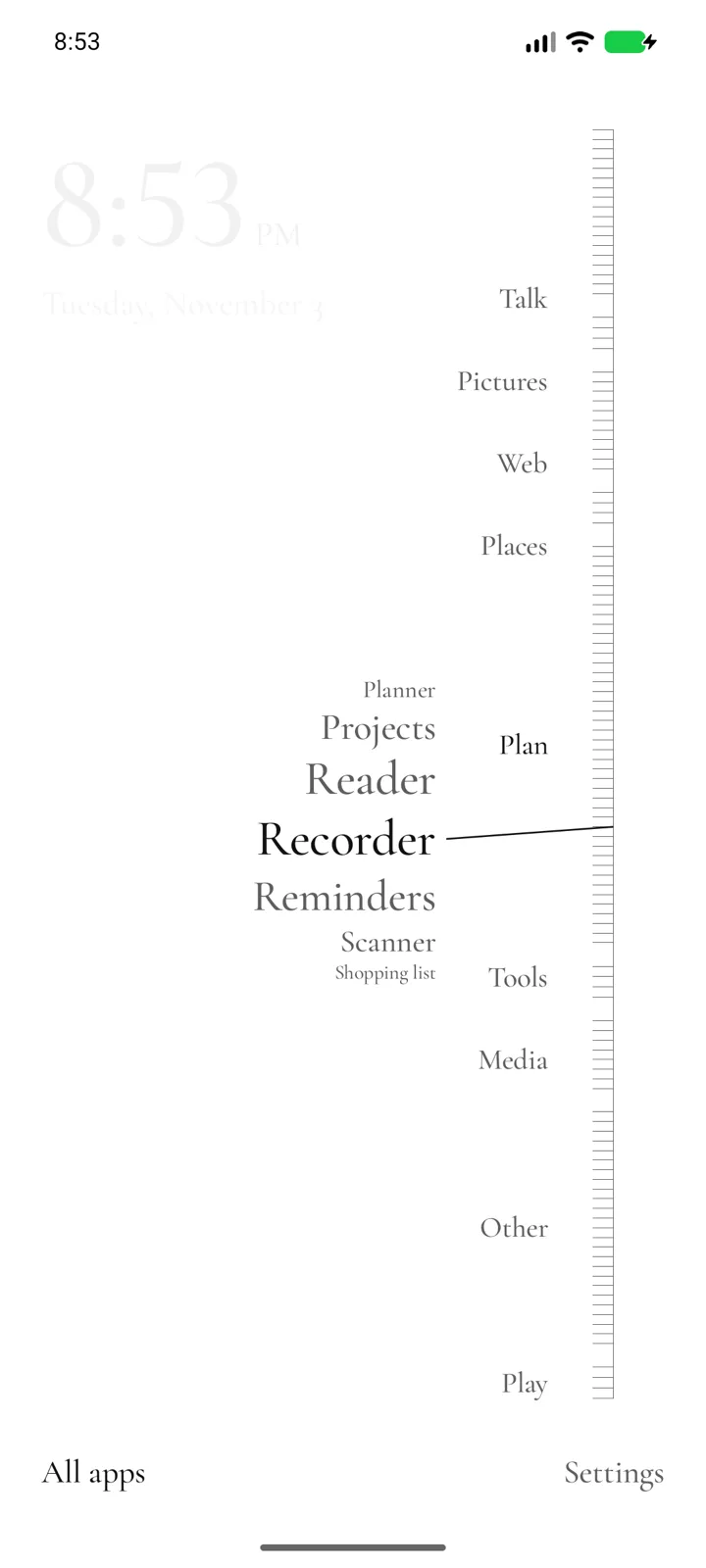
Margin: every app is a tick on a ruler. Slide along it to bring out the names. Earlier Arrivals layout, with group headings. The current version lists app names with recent-open counts, weighted toward recent use, or alphabetically when habits are off. 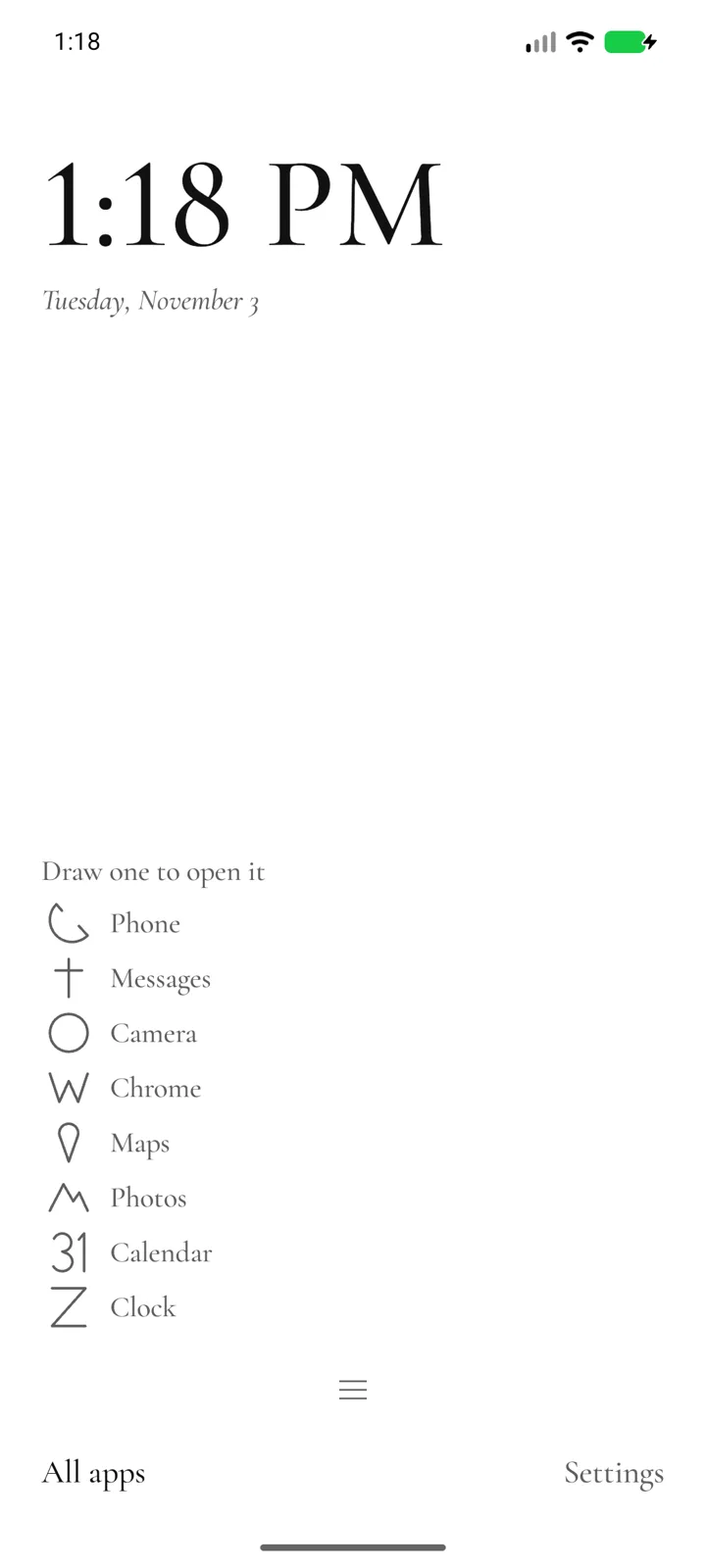
Draw: the usual apps start with a drawing each. Draw one on the home to open its app, or teach your own. 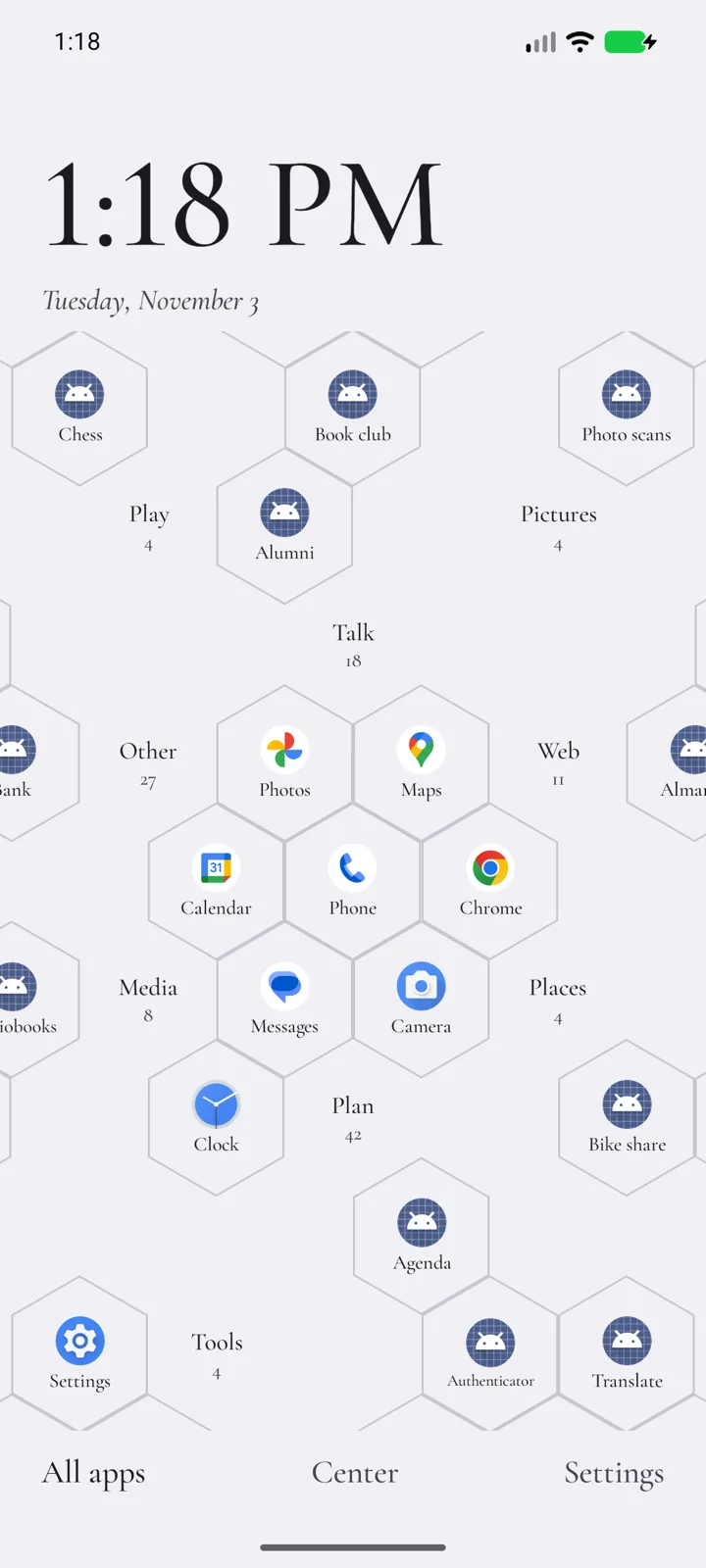
Hex showing every app, in LocalType’s colors with icons: one field where the tiles you pin stay where you put them. 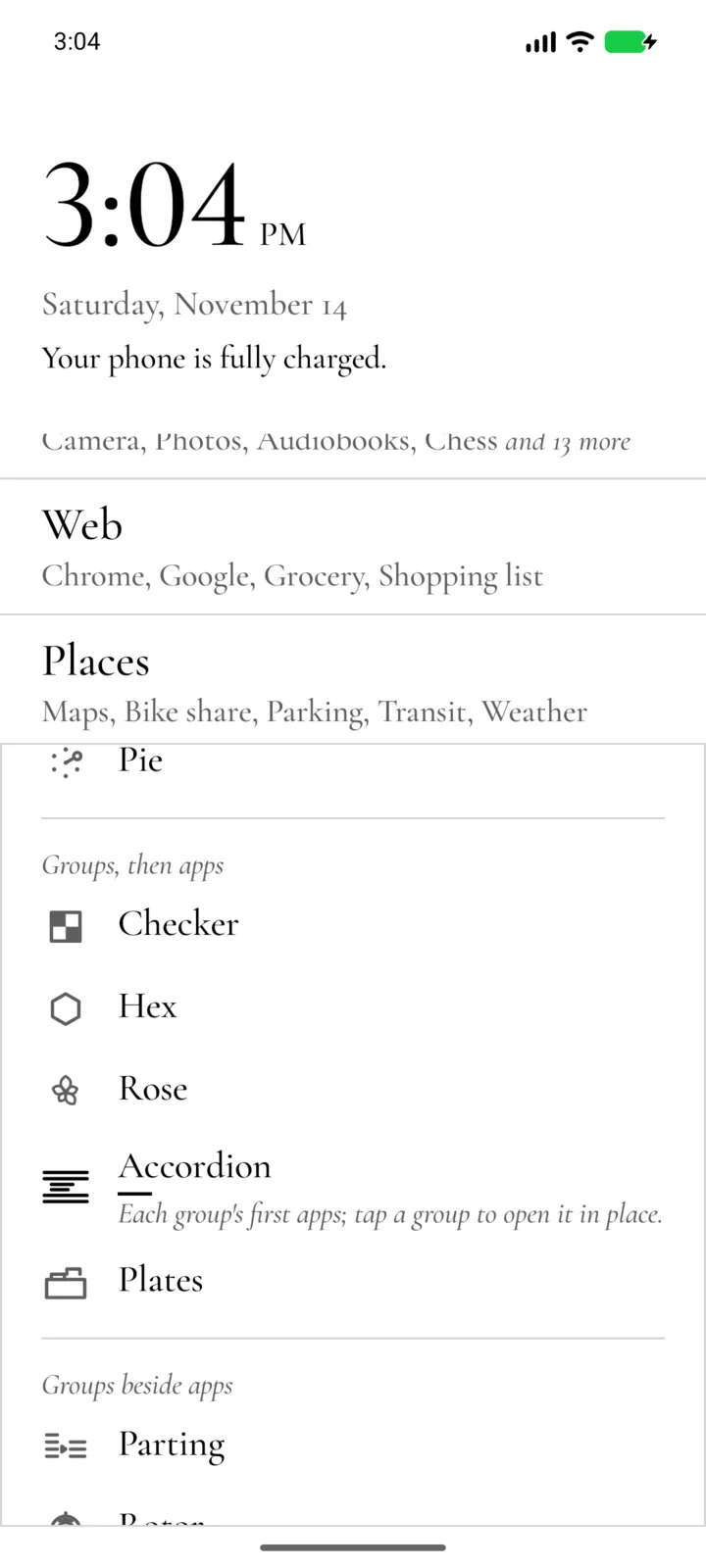
Hold an empty spot, or the clock, for the home menu. Each choice shows on the home at once. 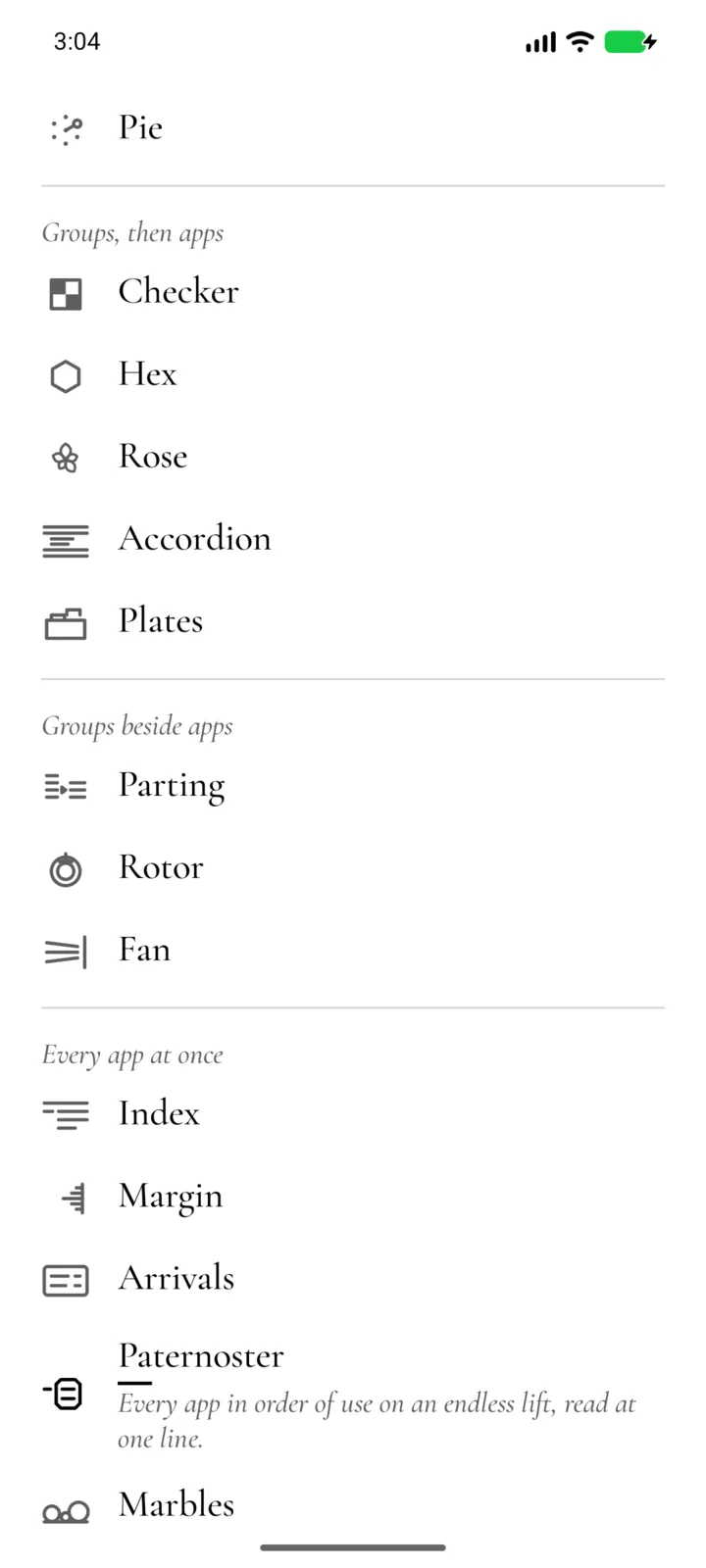
Settings are words too. Each home stands on its own line, and the chosen one says what it does. 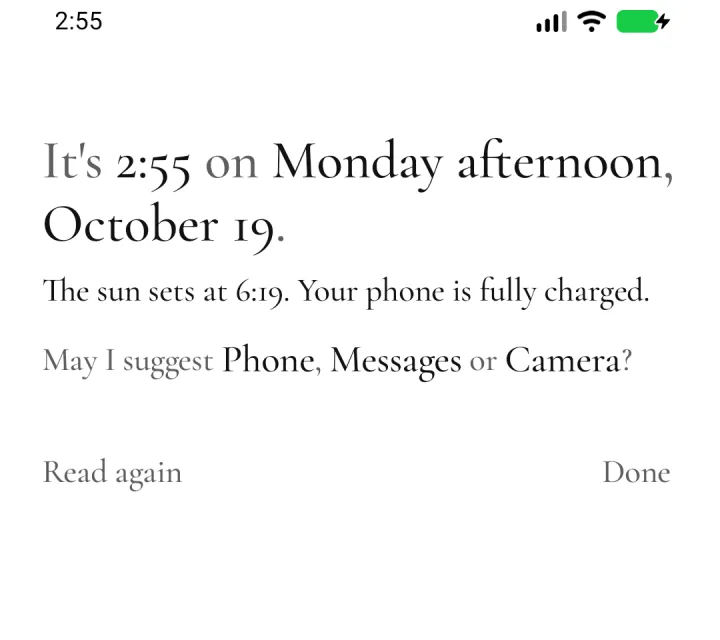
The briefing, from a swipe right, written fresh each time, with three apps that fit the moment. 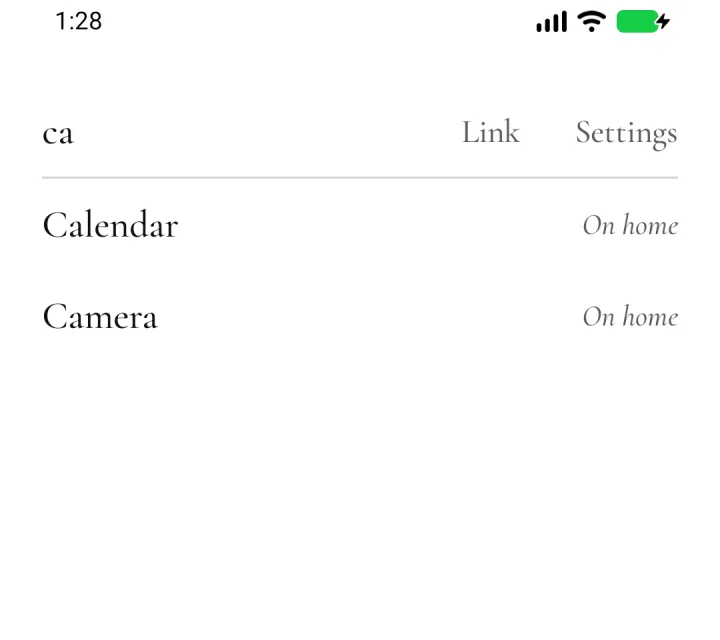
All apps: a few letters find an app, and accents and case don’t matter. 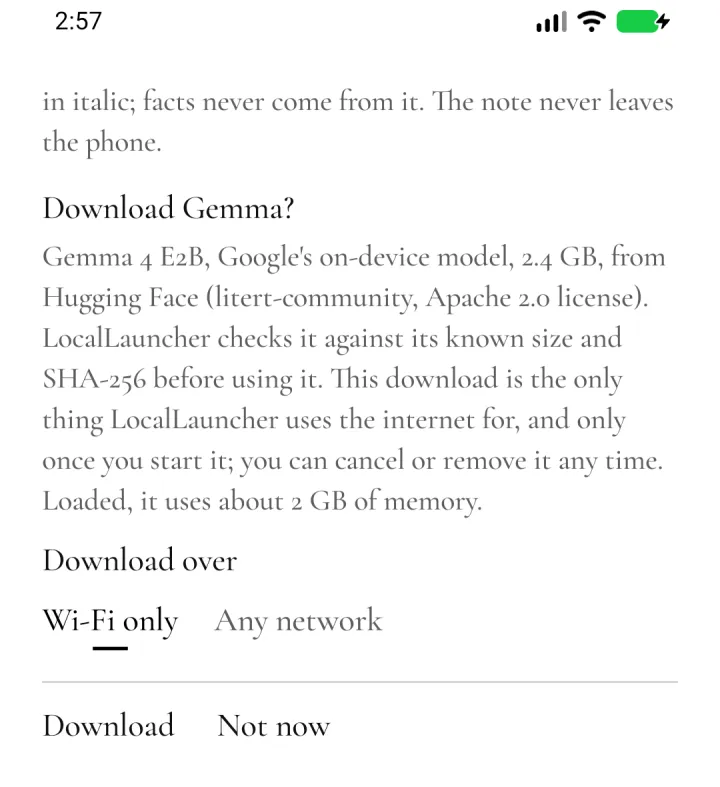
The optional Gemma download says what it is before anything is fetched.
Nothing leaves the phone unless you ask
There’s no account. LocalLauncher uses the internet for the optional Gemma download (in the build from this page), which it describes first and starts only when you do, over Wi-Fi unless you choose otherwise; for the update check, which reads a small file on this page when you open Settings, at most every six hours, or when you tap Check for updates, and which you can turn off; and, only if you turn them on, for the clock’s weather and the briefing’s markets. The update check, the weather and the markets name the app and nothing about the phone, though a server sees the connection’s address, as any website does. Links you add open in your browser.
- It sees only the apps you can open, not everything installed.
- Most used needs usage access, which only you can turn on, in Android’s settings. It reads how long each app was on screen over the last four weeks, pins the top eight and keeps nothing else.
- Today’s calendar line asks for calendar access only when you turn it on.
- Sunrise and sunset are for a place you type, a US ZIP code or a latitude and longitude, worked out on the phone. It never asks for your location.
- The clock’s weather is off until you turn it on. Then, while the home is on screen and at most every half hour, it asks Open-Meteo for the next 24 hours’ forecast at that place, rounded to about 11 km. Weather data by Open-Meteo.com, CC BY 4.0.
- The briefing’s markets are off until you type symbols for them. Then, when the briefing opens, it asks Yahoo Finance’s public chart service for each one’s delayed price, a symbol to a request. That service is unofficial and needs no key, so it may stop answering.
- The last forecast and prices stay on the phone, out of backups, and go when you turn them off.
- Today’s closing line goes only to Gemma on the phone, LocalType’s or LocalLauncher’s own, and LocalLauncher checks LocalType’s signing key before it sends anything.
- Drawings you teach the Draw home stay on the phone, out of backups.
- “Remember my app habits” is off unless you turn it on; what it learns stays on the phone, out of backups, and Forget clears it.
- Your layout stays on the phone and out of cloud backup. Export it, or keep a safety copy in a folder you choose.
Quiet until you need it
- Twenty-three homes, each with a small drawing of its idea, listed one to a line in Settings and the home menu. List, the default, shows your tiles as large text. The others are experiments: Draw and Pie, which hold apps you pick; Checker, Hex, Rose, Accordion and Plates, which open a group, then its apps; Parting, Rotor and Fan, which show the groups beside their apps; Index, Margin, Arrivals, Paternoster and Marbles, which show every app at once; Filter, Trail and People, made from your own sets; and Gear, Well, Cord and Flaps, still in study. Checker includes Almanac; Parting includes Reels. With TalkBack on, or text larger than a home takes, the List stands in and says which home it stands in for.
- Every app, by what it’s for. Homes that show groups sort every app on the phone by kind: Talk, Social, News, Web, Pictures, Media, Places, Plan, Money, Shopping, Health, Tools, Play and Other, with a small kind riding a related one until you have a few of its apps. A new app joins its group on its own. Hold one to hide it, move it to another group, or name a new one.
- Apps, shortcuts and links. A tile opens an app from any profile, an app shortcut such as “New message”, or a web address. Share a link to Add to LocalLauncher to pin it.
- All apps is a list you search by typing. Initials work too: “gm” finds Google Maps, and Enter opens the first match.
- Today. The sun and moon, your next alarm, your calendar if you allow it, and the battery, under the clock. The briefing adds three apps that fit the moment, learned from your own launches, and the markets you name, if you like: “The S&P 500 closed up 0.4%, Apple closed down 1.9%, and Bitcoin is up 0.7% today.”
- A closing line, if you want one. Pick a tone and Gemma, an on-device model, adds one short line, checked against the note before it shows. It uses LocalType’s copy when LocalType shares it; otherwise LocalLauncher can download its own (2.4 GB), which loads only when you open the briefing.
- Swipes you choose. Up opens All apps, down pulls the notifications down, and right opens the briefing. Each direction can open All apps, the notifications, the briefing, an app you pick, or nothing.
- A hold away. Hold an empty spot on the home, or the clock, for a menu to try looks in: the home, the clock, color, type and theme change as you tap. Hide folds the menu to one line so you see the whole home, and Put back undoes it all. Settings and the wallpaper are there too. With TalkBack, the clock’s hold is named “home menu”.
- Touch that waits for you. A tap that moves, flicks or lands while a list is still moving opens nothing, and a hold takes half a second. Settings, Touch sets how long a hold takes, how long a finger rests before a lift opens, whether repeats are ignored and the shortest tap, as a communication device’s touch settings do. TalkBack, Switch Access and Voice Access keep Android’s own timing.
- Your type. Serif (Cormorant Garamond), the phone’s own sans serif, or Mono (IBM Plex Mono), with text size, alignment, light and dark, and LocalType’s colors.
- A clock that talks. The time and date, the time, the time in words, or Spoken, the time as a sentence: “It is nearly twenty-five past five in the evening.” Words and Spoken can go on with the date, the day’s weather and the sun: “on Tuesday, the third of November. Tonight will be clear, and the sun comes up at 6:55 tomorrow.” The weather drops out when its forecast is over three hours old, and it never shows a sample.
- Accessible by default. Buttons are words. Their outlines show on their own while TalkBack, Switch Access, bold text or high-contrast text is on, and long names wrap instead of being cut off.
- Your home stays yours. A layout it can’t fully read never empties your home. It keeps a last good copy, and Undo brings back a replaced layout.
No widgets, badges or feeds. Every home but List is experimental, and the clocks in words are English only. A closing line from LocalType’s Gemma needs a LocalType release that shares it, and shows only while LocalType has Gemma loaded.
Release files
APK checksums. Android package dev.localtype.launcher, signed with certificate SHA-256 25:E4:0D:F3:8F:60:09:30:7D:5D:E0:14:88:7E:43:2F:7F:56:FD:B5:DF:F8:3E:A1:57:32:43:6B:F5:0A:78:4E. Cormorant Garamond and IBM Plex Mono are under the SIL Open Font License; Gemma 4 E2B is under the Apache 2.0 license; ZIP code centers are from the US Census Bureau’s 2024 Gazetteer, which is public domain.